Main apps are one key away
Assign your everyday apps to letter keys in primary dock. Hold Right Command ⌘, press the letter, and jump straight to the app you want.
Fixed positions. Direct key shortcuts.
No scanning, no cycling, no surprises.

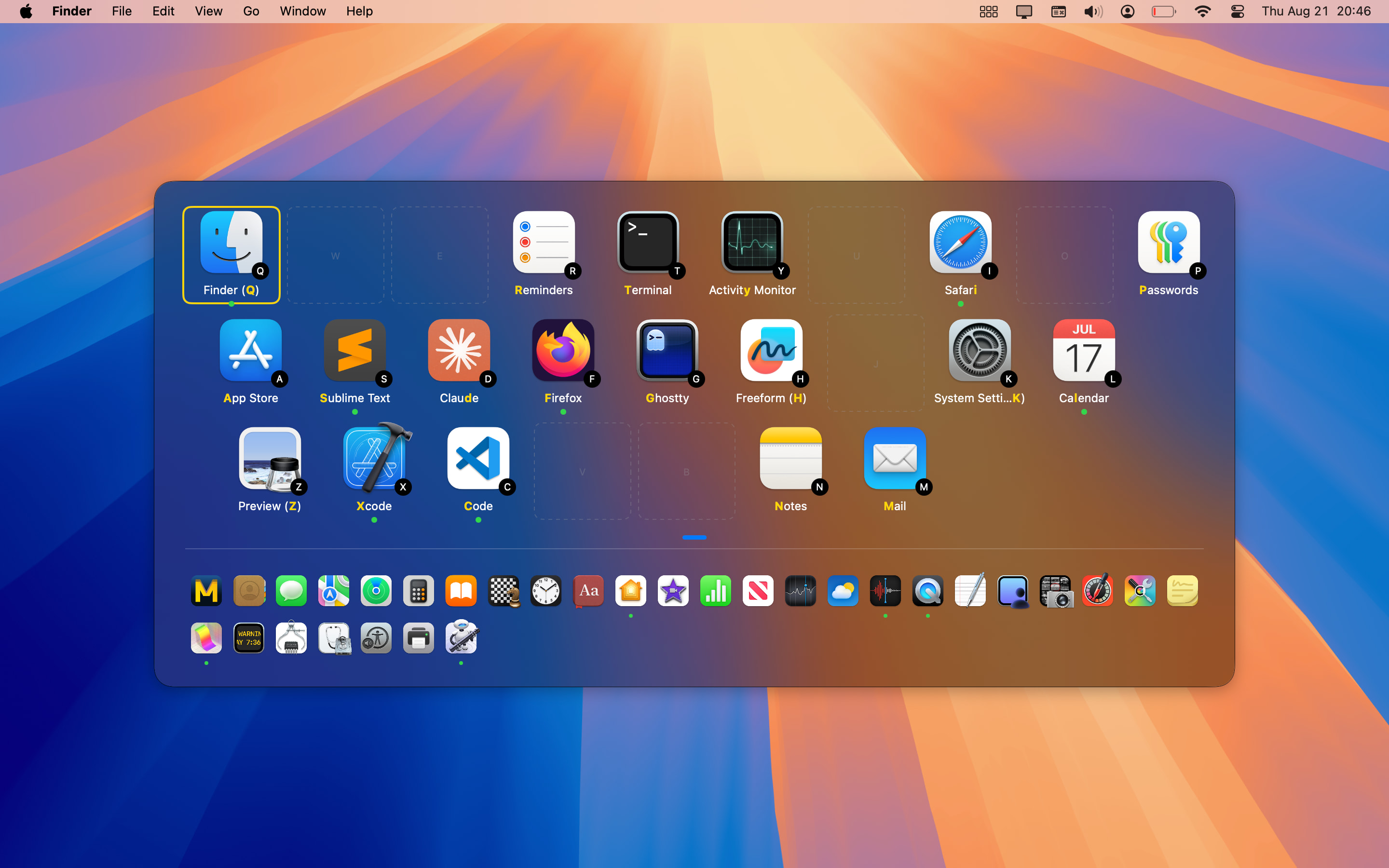
Hold Right Command ⌘ → press a letter → Switch instantly
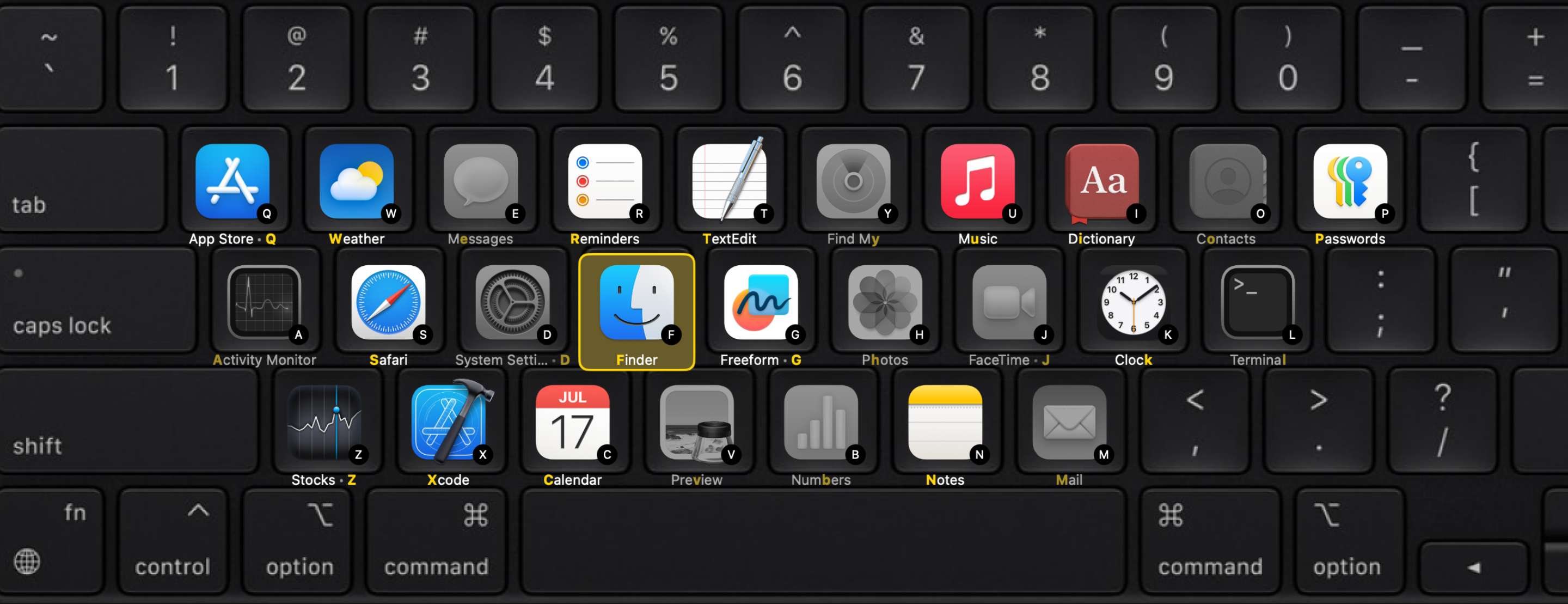
Spatial Dock turns your keyboard into an app deck.
Assign your everyday apps to letter keys in primary dock. Hold Right Command ⌘, press the letter, and jump straight to the app you want.
The secondary dock keeps every other running app nearby without crowding your main layout.
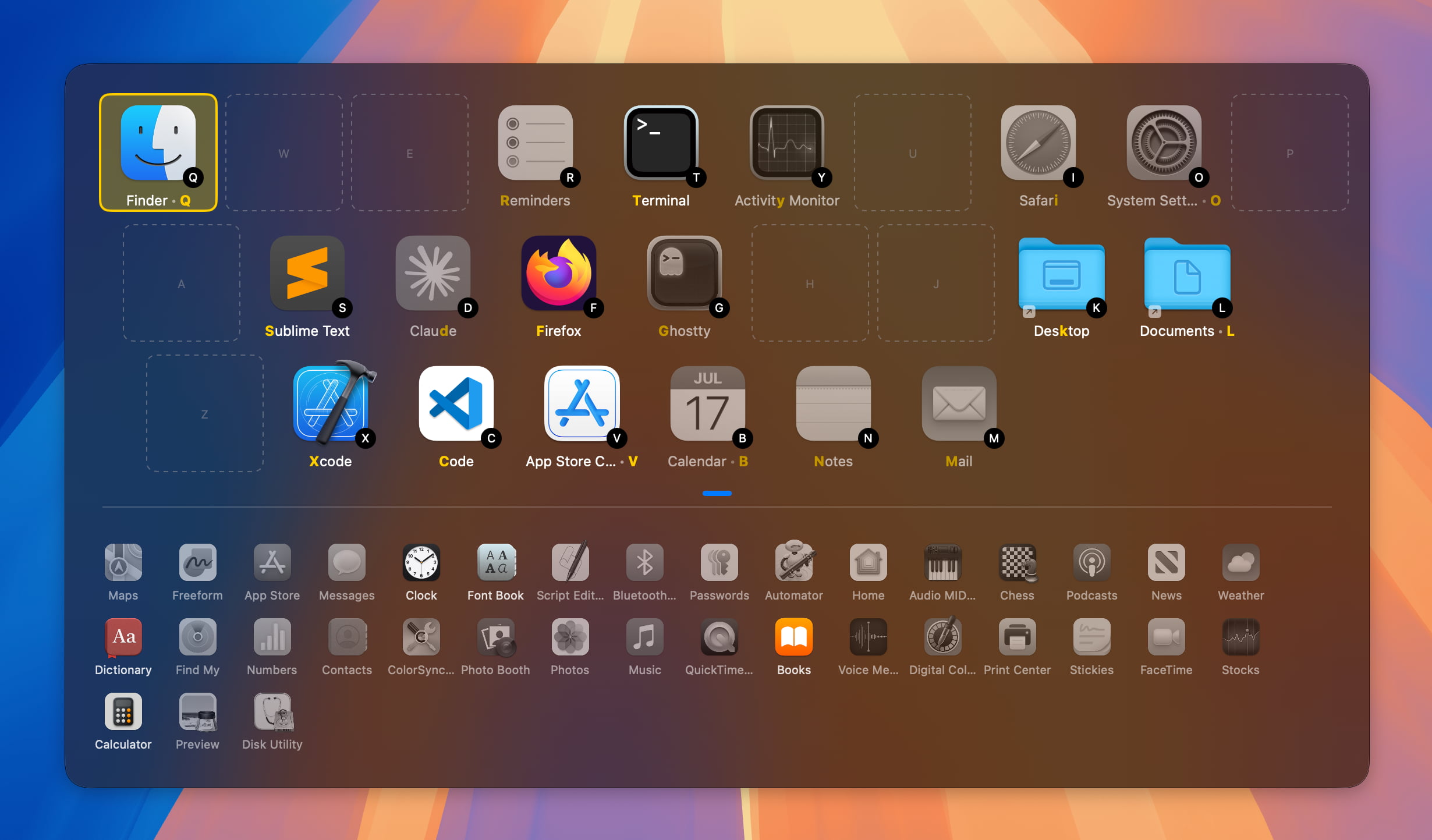
Primary dock
Secondary dock
Dimmed icons are non-running apps.
Option to show only running apps to have a secondary dock less crowded
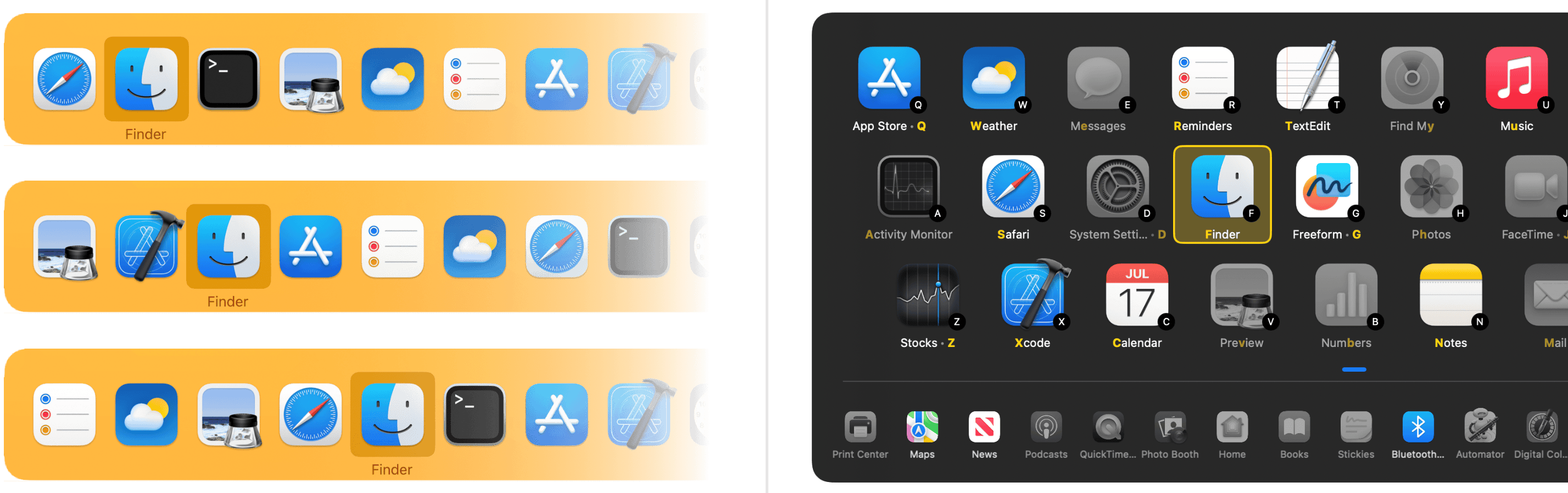
Spatial dock is an app switcher like macOS Cmd+Tab:
all running apps are always available.
Primary dock (top): main apps mapped to direct letter keys.
Secondary dock (bottom): all running apps stay available.
Dimmed icons are non-running apps. You can choose to only show running apps to have a secondary dock less crowded.
The speed comes from predictability. Spatial Dock gives you the same layout on screen and on keyboard, so frequent switching starts to feel more like using shortcuts than navigating a menu.
Each app keeps the same position across sessions, which means you stop re-locating it every time you switch.
The apps grid mirrors your keyboard layout, making shortcuts easier to learn and remember.
Your main apps have dedicated keys, and the rest remain grouped nearby instead of being reordered by recent use.
Cmd+Tab and Mission Control are useful for browsing. Spatial Dock is for the moment when you already know the app you want and want to reach it with less visual scanning.
| macOS Cmd+Tab | Spatial Dock | |
|---|---|---|
| App positions | Reordered by recent use every time | Fixed — same spot every session |
| Reaching a specific app | Cycle until you find it | Press one key, land directly |
| Requires visual scanning | Yes — position changes each time | No — muscle memory takes over |
| Keyboard layout match | No spatial relationship to keys | On-screen grid mirrors your keyboard |
| Less-used apps | Mixed into the same cycling list | Kept in a separate secondary dock |
| Interrupts your flow | Yes — forces you to look and re-aim | No — same keys, every time |
An app switcher should not be on your way, Spatial Dock is optimized to react quickly and to consume low computing resources.
People who switch between apps all day tend to feel the difference quickly.
I love how the app makes every switch feel instant because the fixed spots and direct keys let muscle memory take over without any thought.
Spatial Dock is much faster than any other task switcher I've tried, which is a huge plus since pressing the key combinations is quick.
— Reddit user, r/macapps
Committed to your app after only half a day, and nine months after using an alternative.
— Reddit user, r/macapps
Works better for me than any of the similar apps I have tried.
— Reddit user, r/macapps
Spatial Dock is built for people who move between tools constantly and want app switching to feel direct, predictable, and easy to learn.
Spatial Dock stays simple at its core, but it adapts to different keyboards, workflows, and screen setups without losing the spatial consistency that makes it fast.
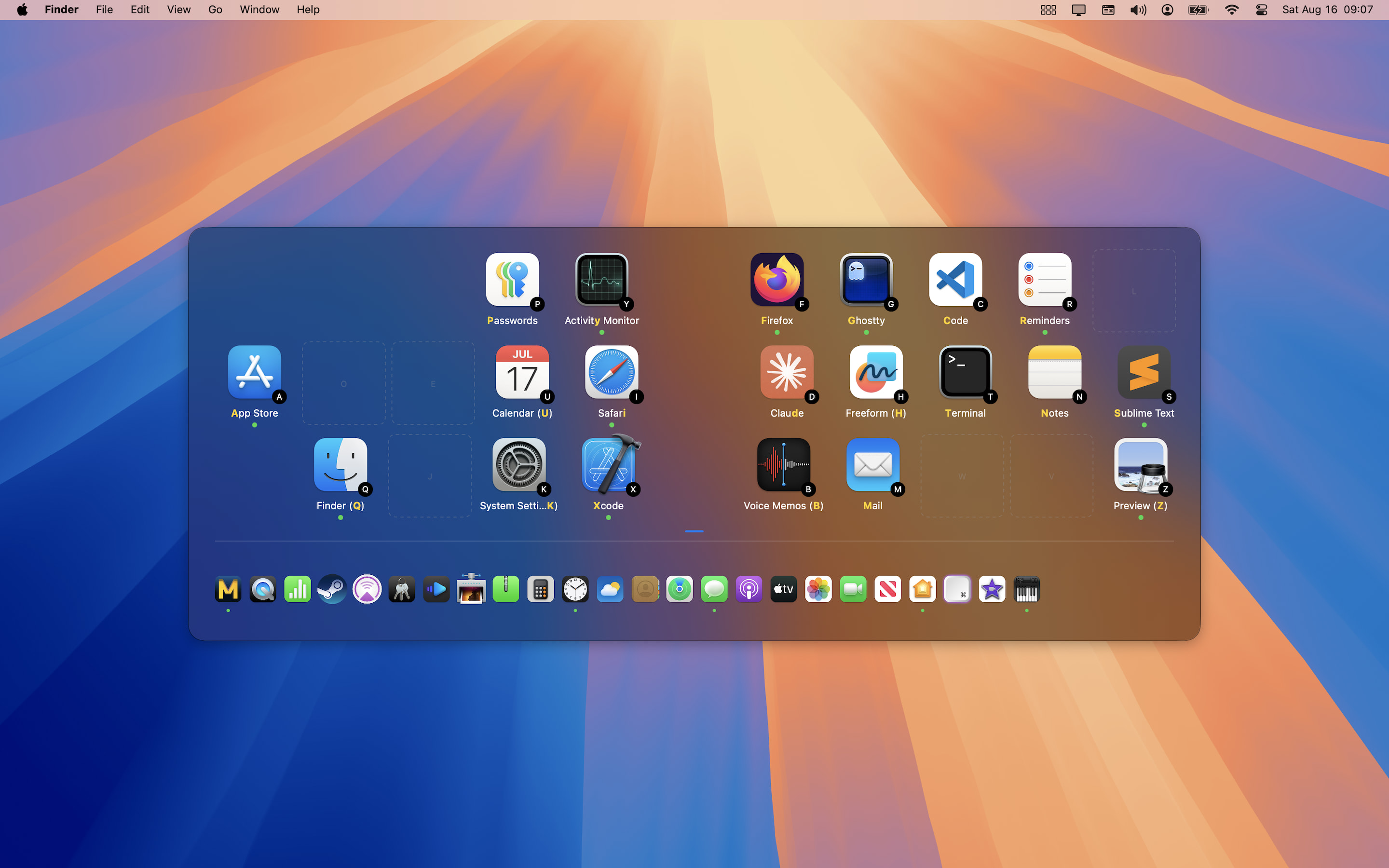
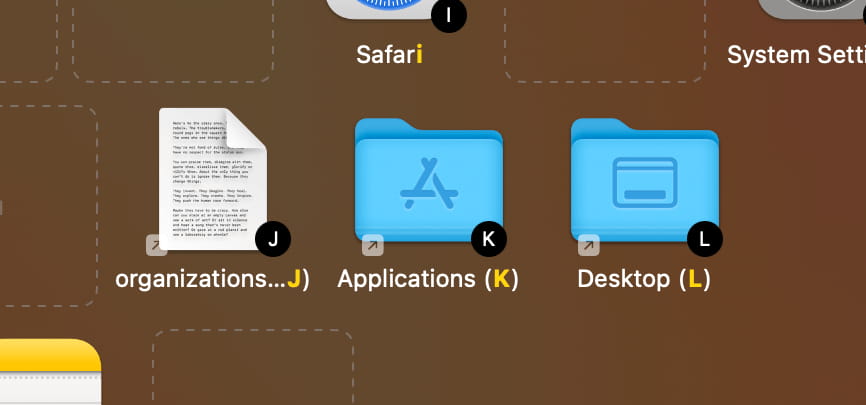
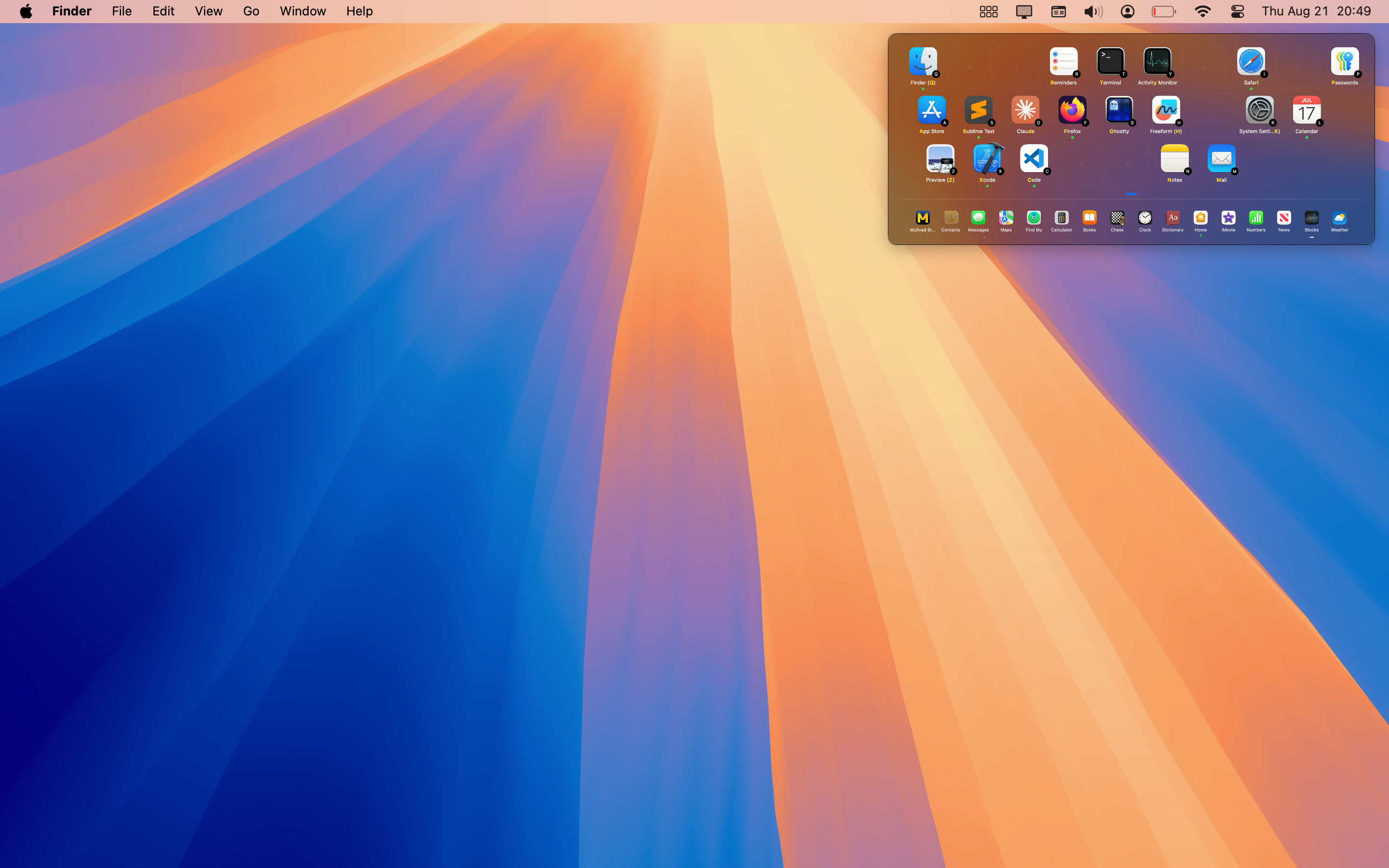
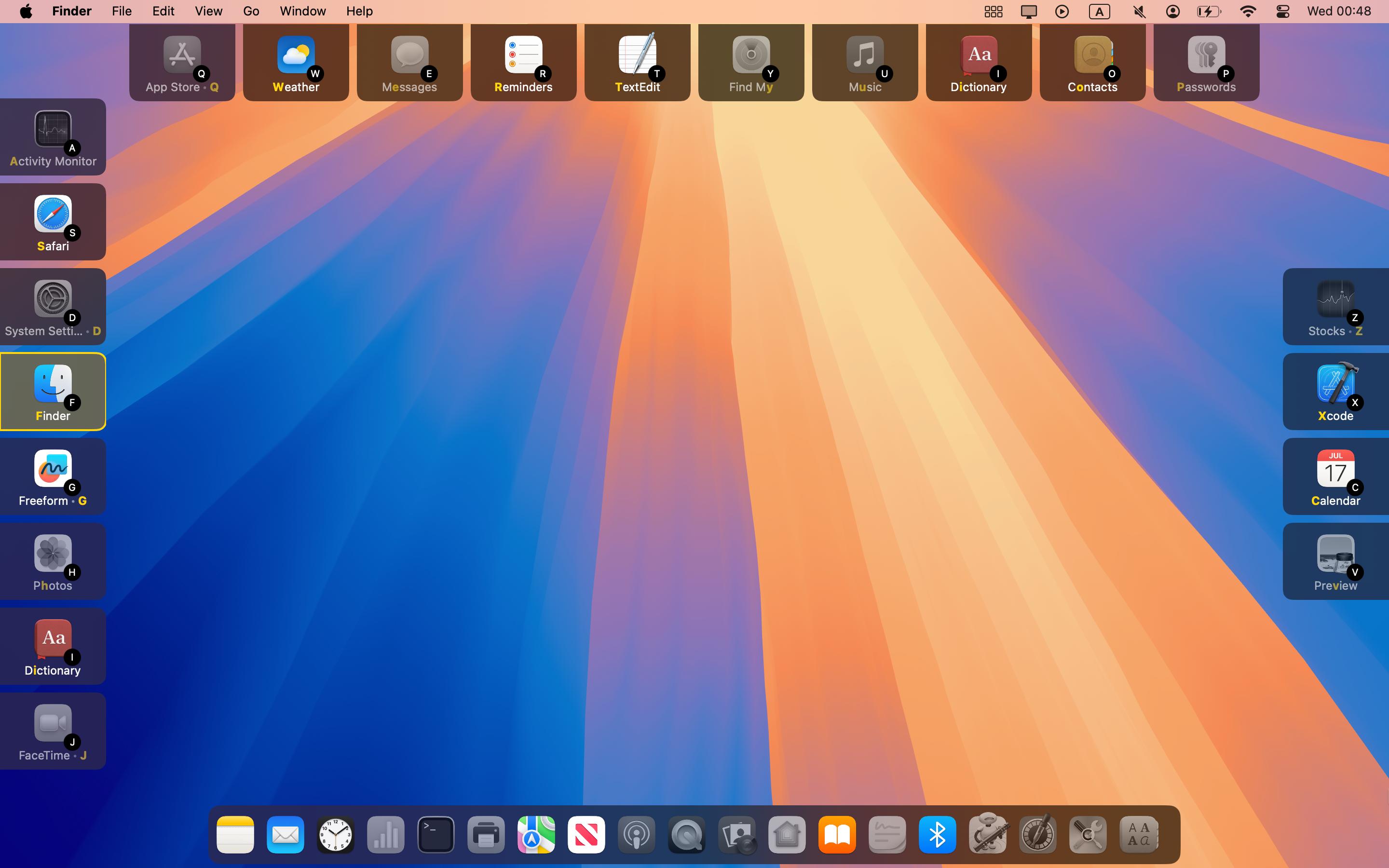
Edge layout places apps along the screen edges so your windows and desktop remain visible while you switch.
Yes, it can. Spatial Dock gives you access to every running app, but it works from stable positions instead of a changing recent-app list.
By default, Spatial Dock uses Right Command ⌘ as its activation key, so the standard Cmd+Tab shortcut can remain available if you still want it.
Yes. Spatial Dock supports custom keyboard layouts and multiple input sources, including Colemak, Dvorak, split keyboards, Korean, Cyrillic, and more.
They stay available in the secondary dock, so you can still reach them with indirect shortcuts, arrow keys, Tab navigation, or the mouse.
Yes. You can add websites, files, folders, and custom URL schemes as shortcuts.
If you create a standalone web app in Safari using File > Add to Dock, it can appear in Spatial Dock like a regular application.
Yes, but macOS needs a third-party remapping tool to turn Caps Lock into a modifier key that Spatial Dock can use.
Spatial Dock only shows apps that have been launched at least once while Spatial Dock is running, which helps avoid clutter from apps you never use.
You have a few ways to keep it manageable.
If macOS or another app is already using the same shortcut, Spatial Dock may not receive it reliably.
Spatial Dock preserves app positions so your layout stays stable. If you remove an app from macOS, that saved position can remain in the dock configuration.
To remove it permanently, drag the app icon to the remove box in Spatial Dock settings.